Does typing on a screen count as real typing?
It counts on its own board. The keycap keyboard and hardware keyboards rank separately, because thumbs and mechanical switches are not comparable.

Fifteen seconds will tell you. Start typing in the box below — no install, no account. Then find out what the app does with that number.
Type each word and press space. Letters turn red the moment they go wrong and still count against accuracy — the same colours, timing bar and feedback the app uses, minus the daily challenge and the ghost.
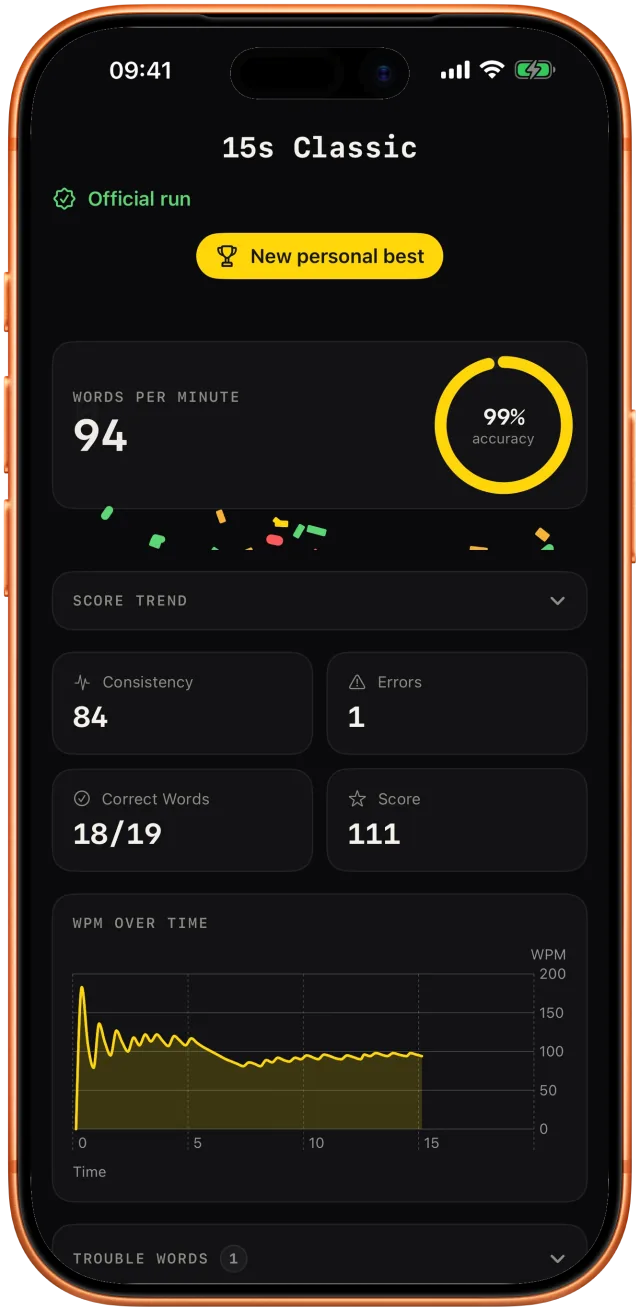
This test needs JavaScript. The app itself does not — it is a native iPhone and iPad game. The screens below show the same run inside Qwertiva.
Time’s up
wpm 0 acc 100% err 0
A short taster. The daily challenge, the ghost of your best run and the key heatmap live in the app.
The test above uses your system keyboard, because a web page has nothing better. The app doesn't: it ships its own keycap keyboard with true multi-touch rollover, so you can press the next key before releasing the last one — the thing that makes a real board feel fast.
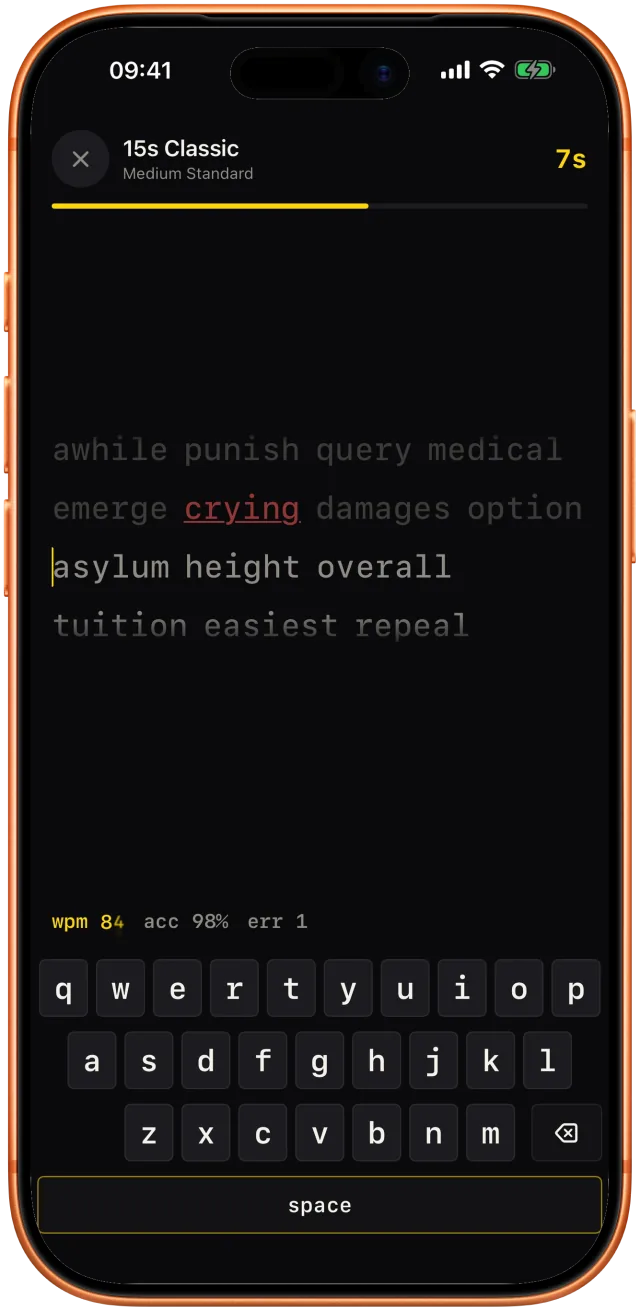
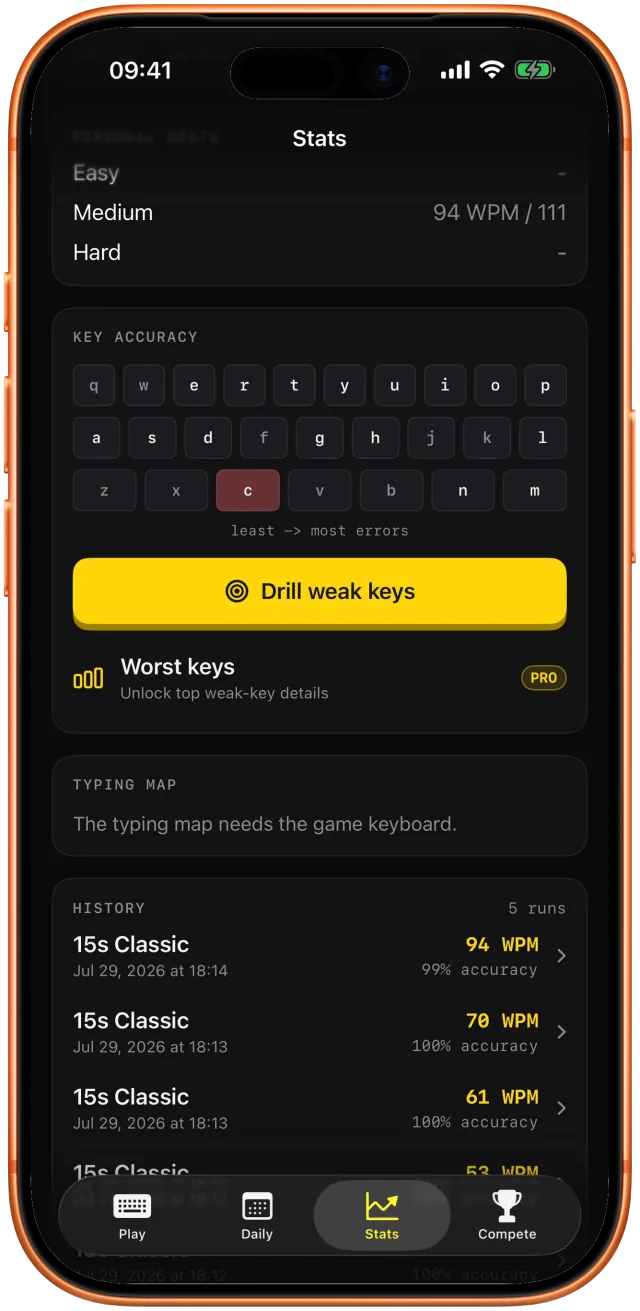
Same engine, different shape of pressure.
| Mode | Length | What it is for |
|---|---|---|
| Classic Time | 15 / 30 / 60 / 120 s | The standard measure. Most personal bests live here. |
| Word Count | 10–100 words | A fixed finish line instead of a clock. |
| Flow | short | A combo meter that rewards an unbroken streak of clean words. |
| Code | short packs | Original snippets in Swift, Python, TypeScript and Rust — brackets and symbols, not prose. |
| Quote | one passage | Lines from public-domain literature, punctuation included. |
| Daily Challenge | one per day | Same words for everyone on the same UTC day. |
A speed test tells you where you are. Qwertiva also tells you what is holding you back, from your own mistakes rather than a generic curriculum.
Every keystroke, word, pasted text, WPM figure and accuracy figure stays on your device. There is no Qwertiva server. Analytics is six category-only product signals and can be switched off; what you type is explicitly excluded from all of them. Details in the privacy policy.
It counts on its own board. The keycap keyboard and hardware keyboards rank separately, because thumbs and mechanical switches are not comparable.
Yes, derived from the UTC date. The app reads a timestamp from apple.com so it cannot be shifted by changing your device clock.
No. Pro is a one-time purchase, not a subscription. It does not renew or expire.
No. Results are local to each device, capped at the most recent 500 runs. Use the JSON or CSV export to keep a copy.
Leaderboards, restoring Pro, exports and known limits.
dan.urbanek.dev@gmail.com
What stays on the device, and the exact analytics contract.
Free tier, one-time Pro and leaderboard fair play.